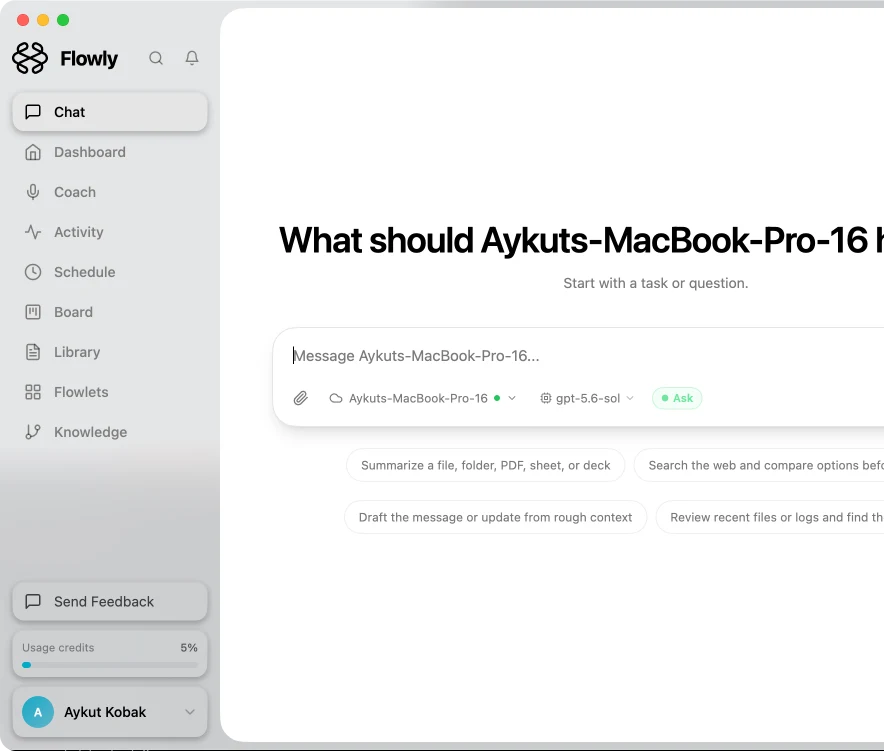
Install the native Desktop app for the full assistant experience, or use the CLI when you want Flowly inside a terminal. One download page, two clean ways in.
Free to try Β· No credit card Β· Apple Silicon & Intel

Hold the Fn key to talk. Flowly pops out of the menu bar, transcribes your voice, and hands the answer back instantly β without ever breaking your flow.
Native performance, private by default, and built to get out of your way.
Hold Fn to record, release to send. Flowly lives in your menu bar and responds in milliseconds β no window switching.
Let Flowly see your screen, click, type, and automate repetitive tasks across any app on macOS via native AppleScript.
Claude Sonnet 4, Haiku 4.5, Gemini 2.5, GPT-4o, or any OpenRouter model. Bring your own key or use Flowly credits.
Your conversations are encrypted on device before they leave. Flowly can't read them β only you can.
Ship with a local Flowly AI runtime. Your assistant keeps working without the internet, on your machine.
Render code, HTML, SVG, Markdown, CSV, JSON, Mermaid diagrams and LaTeX right inside the app.
Telegram, Discord, Slack, Gmail, Trello, Twilio, Brave Search β plug your tools directly into the assistant.
Install community-built skills with one click. Browse productivity, dev, AI/ML, data, and communication packs.
Start on desktop, continue on iPhone or Android. Conversations follow you β encrypted end to end.
Choose the native desktop app when available. The CLI installer below uses uv on macOS/Linux and pip on Windows.
Windows 10 & 11 Β· x64
AppImage & .deb packages
Your messages are encrypted on device. Your keys stay with you. Your data never trains a model.
End-to-end encryption on every conversation
Bring your own API keys β direct connection, no proxy
Optional local AI runtime β works fully offline
Zero telemetry on message content, ever
Free to download. Works with Flowly or your own API keys.
We use cookies
Essential cookies are always on. With your permission we'd also like to use analytics cookies (Google Analytics, Mixpanel β both anonymized) to understand how Flowly is used. You can change your choice anytime in Cookie Preferences.